.md →
Neo4jWidget API#
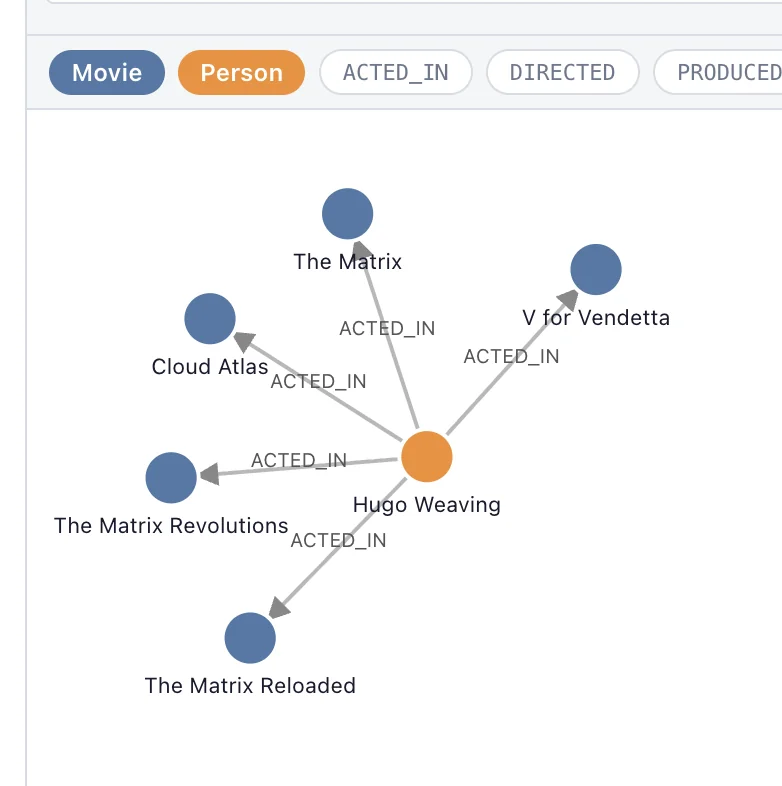
Neo4jWidget takes a neo4j driver (or a uri plus auth), reads the database's
labels, relationship types and property keys up front, and puts a Cypher input above a
graph view of whatever the query returns. Clicking a node runs a follow-up query to
pull in its neighbors, so you can walk outward from a small result instead of writing
ever-longer Cypher. What is on screen stays readable from Python via nodes,
relationships, selected_nodes and selected_relationships.
It talks to a real database, so this page has no in-browser demo — run it on molab against your own server instead. See also: GraphWidget for graphs you build in Python, EdgeDraw for sketching one by hand, and Treemap for hierarchies rather than graphs.
Bases: AnyWidget
Interactive Neo4j graph explorer with Cypher query input.
Examples:
import marimo as mo
from neo4j import GraphDatabase
from wigglystuff import Neo4jWidget

driver = GraphDatabase.driver("bolt://localhost:7687", auth=("neo4j", "password"))
widget = mo.ui.anywidget(Neo4jWidget(driver))
widget
Source code in wigglystuff/neo4j_widget.py
Synced traitlets#
| Traitlet | Type | Notes |
|---|---|---|
width |
int |
Widget width in pixels (default: 800). |
height |
int |
Widget height in pixels (default: 500). |
schema |
dict |
Auto-extracted node labels, relationship types, and property keys. |
nodes |
list |
List of node dicts currently displayed. |
relationships |
list |
List of relationship dicts currently displayed. |
error |
str |
Last error message (empty when no error). |
query_running |
bool |
Whether a query is currently executing. |
selected_nodes |
list |
Element IDs of currently selected nodes. |
selected_relationships |
list |
Element IDs of currently selected relationships. |